Setting-up Nagios in Ubuntu
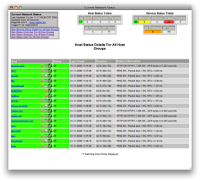
1. Overview Nagios is a powerful tool that provides you with instant awareness of your organization's mission-critical IT infrastructure. Nagios allows you to detect and repair problems and mitigate future issues before they affect end-users and customers. 2. Platform Ubuntu (Desktop) 8.04 Hardy Heron Username : nagios Password : "password" Nagios Version 3.0.3 Nagios Plugin 1.4.13 Nagios NRPE Plugins 2.12 (For clients / Hosts) NSClient++ Win32-0.3 (For Clients / Hosts) 3. Installation 3.1. Nagios Server 3.1.1. Required Packages Make sure you've installed the following packages on your Ubuntu installation before continuing. Apache 2 GCC compiler and development libraries GD development libraries You can use apt-get to install these packages by running the following commands: $ sudo apt-get install apache2 $ sudo apt-get install build-essential $ sudo apt-get install libgd2-xpm-dev 3.1.2. Account Information Become the root user. $ sudo -s Create a new nagi...